
Integrations overview
Yareta is built so non-technical teams can connect tools they already use. You can work entirely in app.yareta.ai, or treat Yareta as an intelligence layer that writes scores back into CRM.
CRM is the recommended entry point (product default): artefacts and people flow in; fit, confidence, and a Yareta URL can flow back. Open Integrations in the app (/integrations).
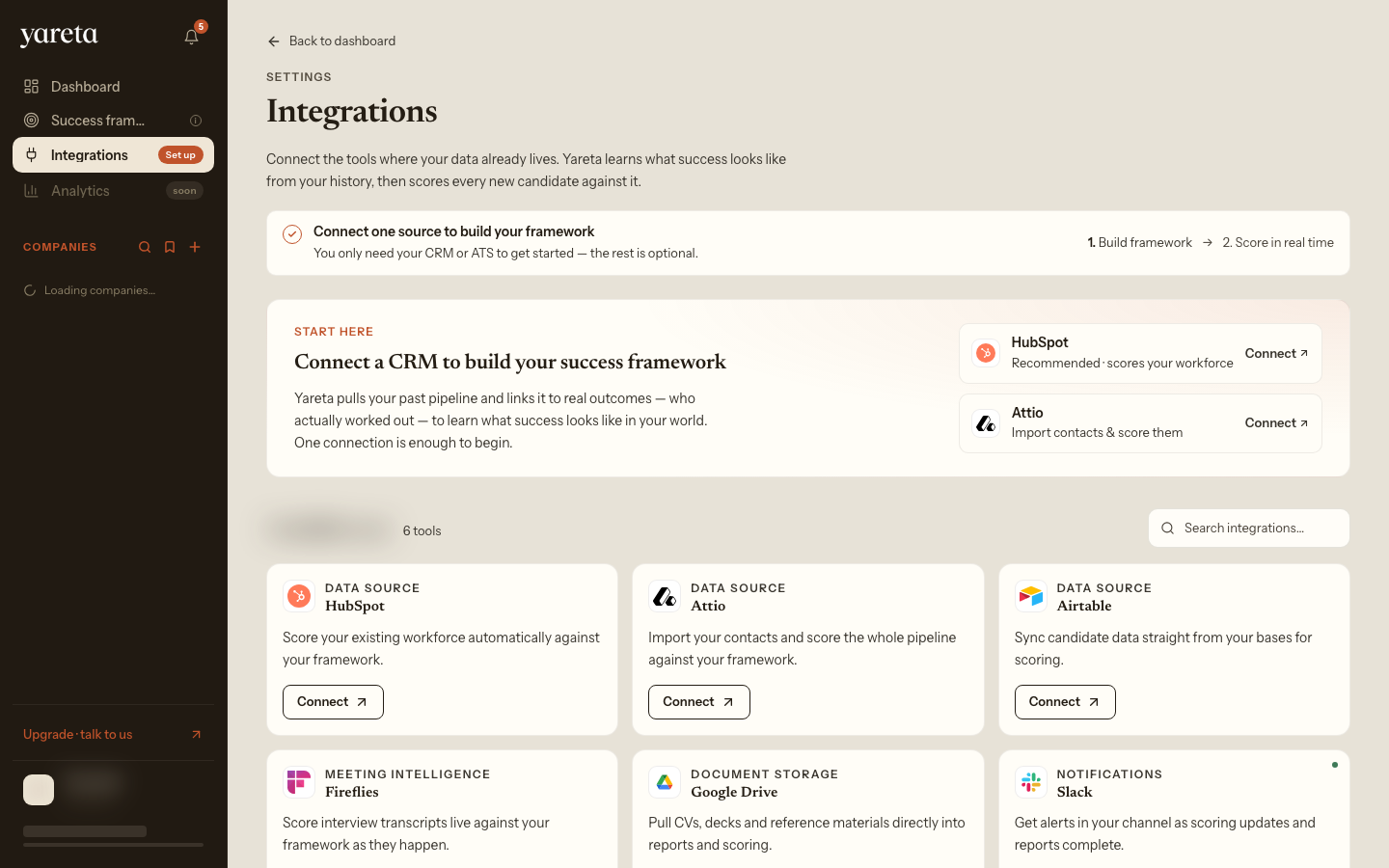
The page lists connectors in groups (notifications first, then CRM / ATS). Search with ⌘K. Cards that are not live yet are marked coming soon. Screenshot: personal account details blurred.
First-time mapping is often completed with Yareta. After that, sync is automatic.
What you can connect
| Category | Products | Typical purpose |
|---|---|---|
| CRM | Attio, HubSpot, Airtable | People, companies, deals, notes |
| Intake | Typeform | Questionnaires into Yareta profiles |
| Meetings | Fireflies, Recall.ai, Zoom | Transcripts as evidence |
| Automation | Zapier | Create submissions from any Zap |
| Messaging | Slack | Notifications (new score, invite completed) |
| Files | Google Drive (where enabled) | Evidence files |
| E-sign | DocuSign | Process documents for MDD-style workflows |
| Payments | Stripe | Plans and credits (billing portal) |
Recommended setup order
- Sign in as an organisation admin.
- Connect one CRM.
- Map objects (people / companies / deals) and fields that should receive scores.
- Test on one live record.
- Add meeting transcription if you record calls.
- Add Slack last, so mapping tests do not spam a channel.
Security
- Authorise vendors with OAuth (you can disconnect).
- Yareta does not ask you to paste Attio / HubSpot / Airtable / Typeform API keys into the browser.
- Disconnect anytime; inbound webhooks stop when the vendor subscription is removed.
You never receive Yareta platform source code or master secrets through Integrations.
Next: CRM.